Florida Times-Union
- 3.0
- Rating
- 10.00K
- Installs
- Free
- Price

 Analysis by App-foxy
I approached Florida Times-Union as a focused way to keep up with Jacksonville-area reporting while still having access to broader news, photography, and video. It is a free News & Magazines app from USA TODAY Co., and the experience makes the most sense for readers who want a local publication in a mobile format rather than a general-purpose news feed filled with unrelated outlets.
My first impression was that its value depends heavily on where you live and what kind of news routine you already have. If local Florida coverage is central to your day, the app gives that reporting a dedicated place on your phone. If you mainly want national headlines, breaking alerts from many sources, or a highly customizable news dashboard, a broader news aggregator may suit you better.
How Florida Times-Union fits into a daily news routine
The simplest workflow is straightforward: open the app when you want to see what is happening locally, scan the available headlines, and choose the stories that deserve a deeper read. I found that approach more useful than treating it like an endless social feed. The publication’s local focus gives the app a clearer purpose, especially when I want reporting connected to the area rather than a stream selected only by national popularity.
You May Also Like

 Pandora - Music & Podcasts
Pandora’s Music Is Easy to Start, but Harder to Recover
Pandora’s strength is its low-effort path from a seed to a station. Its weak spot is how much confidence it asks you to place in connection, setup, and quiet recovery.

 AccuWeather: Weather Radar
AccuWeather Review: A Quick, Clear Forecast for Everyday Decisions
For everyday plans, the best forecast is the one you can understand quickly. AccuWeather makes rain timing, radar, and local conditions easy to act on, with a few trade-offs.

 Hill Climb Racing
Why Hill Climb Racing Still Turns Crashes Into One More Run
A tiny car, a bumpy hill and one more upgrade: Hill Climb Racing keeps resurfacing because its simple chaos makes every near-miss feel personal.

 AliExpress - Shopping App
AliExpress Makes Global Shopping Feel Personal, but Shoppers Bear the Risk
AliExpress turns a global marketplace into a pocket-sized discovery engine. Its reach is useful, its shopping loop compelling, and its trade-offs easy to miss.

 Lords Mobile: Kingdom Wars
Lords Mobile Is a Kingdom-Building Routine, Not a Quick Match
A case-by-case verdict on the building, battles, device demands, and social commitments that make Lords Mobile rewarding for some players and exhausting for others.

 PDF Scanner app - TapScanner
TapScanner Makes Paperwork Easier to Capture, Check, and Share
TapScanner makes scanning with a phone feel less like a rescue operation and more like a dependable step in getting work done. Its capture tools are useful, though not flawless.
More From Our News Desk
View All News


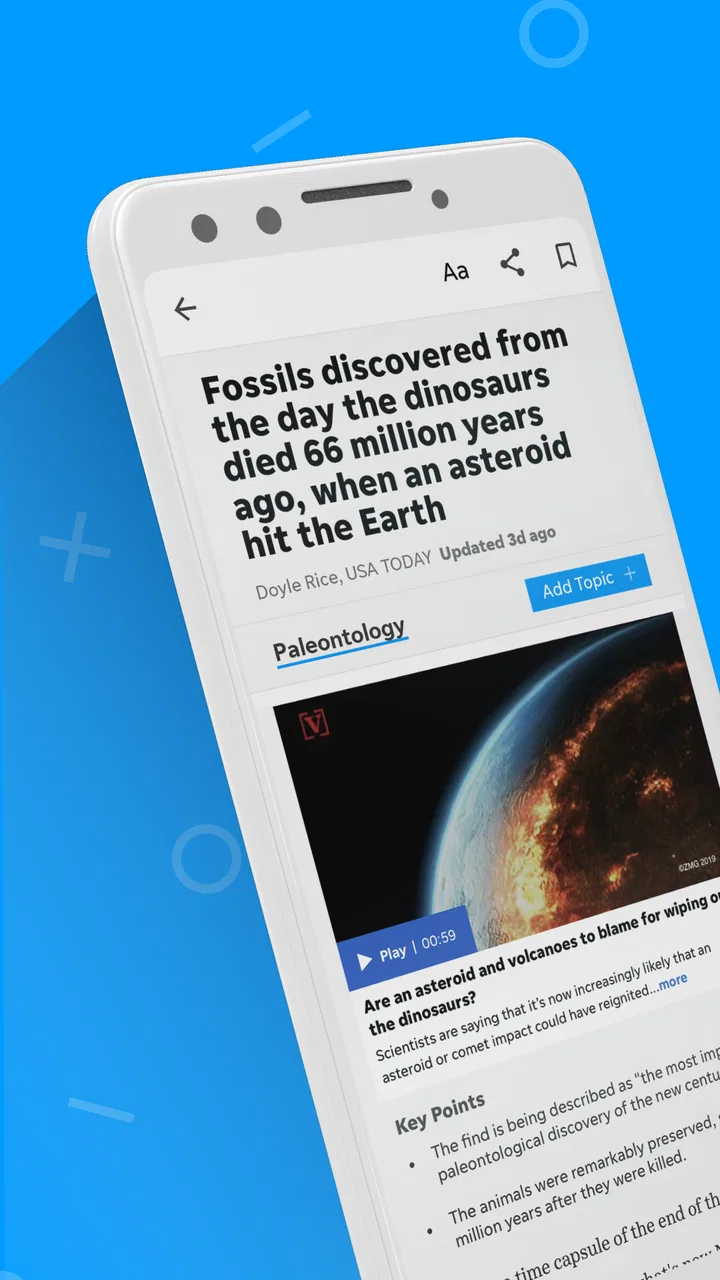
The store summary highlights local and national news, photography, and video, and those different formats matter in practice. A written article is better when I need context, while a strong photograph can communicate the impact of an event immediately. Video is useful when seeing a scene or hearing an explanation adds something that text alone cannot provide. I would not use every format in the same way, but having them together makes the app feel more like a digital newspaper than a simple headline list.
A realistic use case is a weekday morning commute, before leaving home. I can check local headlines for developments that may affect the day, skim a national story for wider context, and save longer reading for later in the evening. The app works best in that kind of short, repeatable session: local first, broader coverage second, and multimedia only when I have enough time to engage with it properly.
That routine also reveals an important limitation. A local newspaper app is not automatically a complete replacement for every source of information. For live weather tracking, highly specialized business coverage, sports statistics, or a quick comparison of several political viewpoints, I would still turn to dedicated services or other news apps. Florida Times-Union is strongest when the question is, “What is happening around this community, and why does it matter?”
What I would check before making it my main news app
The app is free to download, which makes trying it low-risk. It is rated for Everyone 10+, so it is aimed at a general audience while recognizing that news can sometimes involve mature themes or difficult events. Its current version is 8.10.3 and it requires Android 8.0 or later, details worth checking before installing on an older phone.
Its audience is still relatively specific. The app has more than ten thousand installs, with an average rating of 3.0 from over one hundred ratings and dozens of written reviews. I read that combination as a reason to test the app personally rather than assuming it will be perfect for every device or reading habit. The rating is neither a clear endorsement nor a warning by itself; it suggests that the experience may feel more useful to some local readers than to people expecting a polished national news platform.
There is also a subscription-related consideration. Although the app itself is free, in-app purchases range from $14.99 to $69.99 per item. I would install it first, explore the available reading experience, and only then decide whether any paid option fits my needs. That is especially important for occasional readers, because paying for access makes more sense when local coverage is something I will return to regularly rather than once every few weeks.
Settings and habits that make the experience less distracting
I would begin by checking the app’s notification behavior instead of accepting every alert automatically. News notifications can be useful for major local developments, but too many interruptions quickly turn a focused publication into background noise. My preference is to keep only the alerts that genuinely help me act or understand what is happening, then open the app at a chosen time for the rest of the coverage.
On a phone, the most practical setting is often not a complicated customization tool but the way I control attention around the app. I would silence notifications during work or sleep, then create a regular reading window. This prevents the common mistake of opening a news app repeatedly without remembering anything. Florida Times-Union is more valuable when I read a small number of relevant stories carefully than when I chase every new headline.
I would also check how the current version behaves on my particular device after installation. Version 8.10.3 may run comfortably on a newer phone, while an older Android handset could expose slower loading, battery pressure, or awkward transitions that are not obvious from the store page. Those are not reasons to reject the app immediately, but they are reasons to spend a few minutes testing scrolling, article opening, video playback, and returning to the main feed.
One useful habit is to separate reading modes. When I have only two minutes, I scan headlines and open just one important article. When I have more time, I look for the relationship between local reporting, national context, images, and video. Mixing those modes deliberately makes the app easier to live with. I am less likely to feel that I need to consume everything, and I get more value from the stories I actually choose.
Faster patterns for finding useful coverage
Experienced use is less about tapping quickly and more about repeating a sensible order. I would start with local stories because that is the app’s main reason to exist on my phone. Next, I would check national coverage for context, especially when a local issue connects to a wider event. Finally, I would open photography or video when the format adds evidence, atmosphere, or clarity rather than treating multimedia as decoration.
That order is a small but meaningful improvement over opening every headline at random. It keeps the app aligned with my priorities and reduces the temptation to spend time on stories that are interesting but not relevant. If I am following a developing local issue, I would revisit the same topic later instead of assuming that a single early article gives me the full picture.
Another practical pattern is to read the headline and opening paragraphs before committing to a long article. This is not about rushing; it is about choosing intentionally. If the story answers a question I already had, I continue. If it is clearly outside my interests, I return to the feed without feeling obligated to finish it. That approach is particularly helpful on a phone, where long reading sessions can be less comfortable than on a larger screen.
For video, I would avoid playing clips automatically in situations where sound is inconvenient. A news video can be valuable, but it is not always the fastest way to learn something during a busy moment. I prefer to use video when I can give it attention, while relying on written reporting when I need quiet, quick access to the essential details.
Photography deserves a similar judgment. Strong local images can provide a sense of place that a national aggregator often lacks, and they may make an event easier to understand. Still, an image should not replace reading when the issue involves complicated causes or consequences. My faster workflow is therefore visual scan first, article second, and video only when it contributes information rather than simply changing the presentation.
Where the app is strong, and where it reaches its limits
The clearest strength is focus. Instead of asking me to build a local feed from many unrelated sources, Florida Times-Union gives local reporting a central position. That is useful for residents, former residents who want to stay connected, and readers with family or work ties to the area. A broad aggregator may offer more variety, but it can also bury a local story beneath national trends.
The photography and video help distinguish the app from a plain text bulletin. They give me different ways to approach a story depending on how much time I have and what kind of information I need. That variety is especially welcome when local events are easier to understand through images or on-scene footage than through a short headline.
Its main weakness is the same focus that makes it useful. Readers who want one app covering many cities, international news, niche technology reporting, financial markets, and highly personalized recommendations may find the scope narrow. A large aggregator is better for comparison and breadth. A broadcaster’s app may be better for continuous live updates. A dedicated publication app from another region may be a better choice for someone whose daily interests lie elsewhere.
I also would not assume that the free installation means every possible reading option is included without conditions. The presence of in-app purchases between $14.99 and $69.99 per item means I would review any purchase screen carefully before confirming anything. For a frequent local-news reader, a paid option may be reasonable; for a casual visitor, the free experience may be enough, or the app may not justify spending at all.
The average rating of 3.0 is another reason I would keep expectations realistic. It does not tell me exactly how the app will perform on my phone, and a rating can reflect different complaints or preferences. I would judge it on the things that matter to me: whether local stories open reliably, whether the feed is easy to scan, whether video is usable, and whether the overall reading process feels calmer than checking several separate sources.
Who should install it and who should choose something else
I would recommend Florida Times-Union to someone who wants a dedicated connection to local Florida news and prefers reading from one publication rather than assembling information manually. It is also a sensible option for people who appreciate a mixture of articles, photographs, and video, especially when local context matters more than having the largest possible number of headlines.
I would be more cautious recommending it to someone who rarely follows local news, wants a worldwide news digest, or expects extensive controls over topics and sources. That reader may get more from a general news app, a regional television app, or a service that combines many publications. The choice depends less on the app being universally good and more on whether its local identity matches the reader’s priorities.
Families should also remember the Everyone 10+ content rating. That makes it broadly accessible, but news can still include upsetting events, crime, disasters, or other difficult subjects. I would not treat the age label as a promise that every story is suitable for every child; I would use normal parental judgment and notification controls.
My verdict after building a repeatable routine
Florida Times-Union works best when I use it deliberately: local headlines first, longer reporting when I have time, and photography or video when those formats genuinely improve understanding. Its free entry point makes experimentation easy, while the paid options mean I should make a clear decision before subscribing or purchasing anything. The app’s identity is not broad customization; it is a focused local-news habit.
For me, the deciding question is simple: do I want this publication’s local perspective on my phone often enough to make it part of my routine? If the answer is yes, the app offers a convenient home for that coverage and a useful mix of formats. If the answer is no, a wider news alternative will probably offer better value.
My recommendation is measured rather than universal: install it if Florida Times-Union’s local reporting is directly relevant to your life, test the reading flow on your device, and adjust notifications before deciding how deeply to rely on it. I would not choose it as my only news source, but I would keep it in my regular rotation when local awareness is the priority.
FAQs for Florida Times-Union
01What is the Florida Times-Union app?
The Florida Times-Union app is a digital news platform for readers who want coverage of Jacksonville and the surrounding Northeast Florida region. After installing it, users can browse local reporting, breaking news, sports, politics, business, entertainment, opinion, and community stories. It is designed to provide a more convenient alternative to visiting the newspaper’s website through a mobile browser.
02Is the Florida Times-Union app free to download and use?
The application can generally be downloaded at no charge, allowing users to install it and explore available content. However, access to every article or premium feature may depend on the newspaper’s subscription policy. Some stories can be available to non-subscribers, while other content may require a digital subscription or login. Check the current terms shown in the app before subscribing.
03What type of news can I read in the Florida Times-Union app?
The app focuses primarily on news relevant to Jacksonville and Northeast Florida, making it useful for following local developments that may receive less attention in national news applications. Depending on the current edition and available sections, readers may find local government coverage, crime reports, sports updates, weather-related information, business news, entertainment, investigations, and opinion articles.
04Does the Florida Times-Union app send breaking-news notifications?
The app may support push notifications for breaking news, important local developments, sports updates, and other selected topics. Notifications can be helpful when you want immediate information without opening the application, although frequent alerts may become distracting. After installation, review the notification settings and choose which alerts to allow. Availability and categories can vary by device and app version.
05Can I use the Florida Times-Union app without an internet connection?
An internet connection is normally required to load current articles, images, videos, advertisements, and breaking-news updates. Some applications may temporarily retain recently viewed material, but this should not be considered a complete offline-reading mode. For the best experience, use a reliable Wi-Fi or mobile-data connection, especially when opening multimedia content or refreshing the latest local news.
Pros
- Local Jacksonville news with strong community coverage
- Useful reporting on Florida politics
- courts
- and public safety
- Sports coverage includes the Jaguars and local college teams
- Breaking-news alerts help readers follow developing stories
- Digital access includes articles
- photos
- and multimedia content
Cons
- Many articles may be limited by a subscription paywall
- Some coverage is heavily focused on the Jacksonville area
- Advertising can make navigation feel cluttered
- App performance may vary on older phones or slower connections
- Users may receive frequent notifications unless alerts are customized

Florida Times-Union
Gallery